Systems Guide
Ledgerbound Patch #1: Hotfix, Known Issues, and Safe Troubleshooting
A source-backed guide to Ledgerbound's first launch hotfix, the issues OmniMegaSuperCorp listed, and practical steps before reporting a bug.
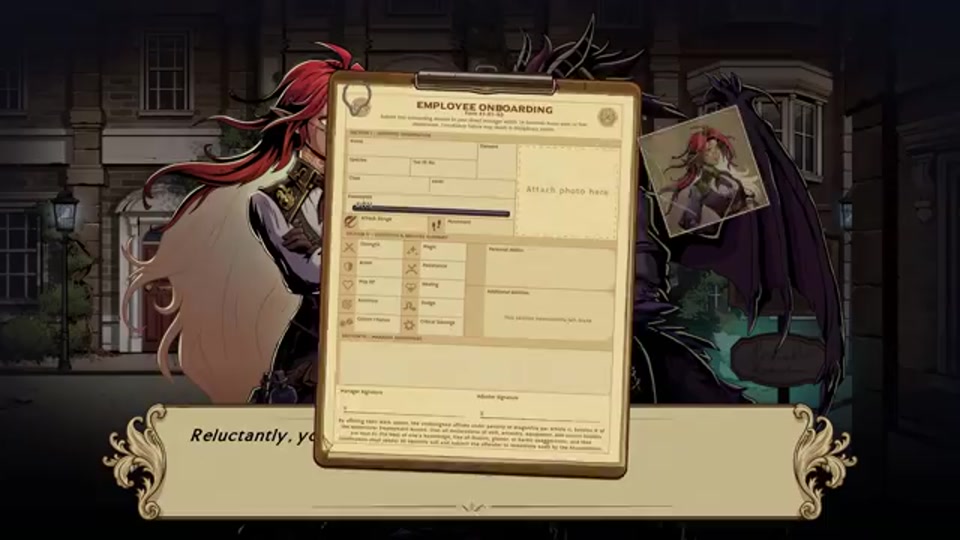
Ledgerbound Patch #1 is the first official launch hotfix published after the game’s August 13, 2026 release. This guide deliberately distinguishes three things: what the patch notes say was fixed, what the developer still listed as a known issue, and the cautious steps a player can take without inventing unsupported workarounds. Patch notes describe a particular version of a game, so treat this page as a dated record and check the newest Steam announcement before assuming the same limitation remains.
The short version
The launch hotfix addresses audio adjustments, Prologue voice-over timing, and a set of battle-related problems. The official post specifically mentions freezes after certain victories, an issue in the lower half of the Emberworks battle, a reload issue in the Landfill battle involving wounded casters, and a possible problem after using Consume Rift in Elderhold. It also lists several issues that were not resolved in that post, including the absence of super-ultrawide and windowed-mode support, the inability to dismiss summons, a possible autosave crash/reload loop, Uninsured Difficulty balance, and no chat log.
Those names matter because they let a player compare their own experience with the developer’s documentation. They do not mean every freeze, save failure, or balance concern has the same cause. A problem that occurs in another encounter, after a different ability, or on a different version should be described on its own terms when reported.
What the hotfix says it changed
The official announcement groups the changes into quality adjustments and fixes. Audio changes and Prologue voice-over timing are easy to overlook in a list of technical notes, but they are useful to players returning after launch: a line triggering too early or late can make a scene feel broken even when the game is otherwise playable. If an old recording or review calls out a timing oddity, it may refer to the pre-hotfix build rather than the version currently installed.
The combat fixes are more concrete. The patch notes identify freezes after certain victories, a lower-half Emberworks battle issue, a Landfill reload issue when wounded casters are present, and a possible Elderhold problem after Consume Rift. These are location- and condition-specific descriptions. They are excellent search terms for a player who recognizes the same context, but poor evidence for a blanket claim that a whole chapter, role, or ability is unusable.
The practical implication is simple: update before retrying a battle that previously failed. If the game is already current, reproduce the problem only as far as you can do so safely, noting the battle, the party state, the ability used, and whether the failure happens after a victory, during a reload, or at another moment. That kind of record is far more useful than “combat is broken.”
Known issues in the Patch #1 announcement
The same post gives a limited but valuable snapshot of the team’s open issues. It does not promise dates for their resolution. The list includes no support for super-ultrawide displays, no windowed mode, no option to dismiss summons, a possible autosave crash/reload loop, the balance of Uninsured Difficulty, and no chat log.
For display settings, the key distinction is between a feature being unavailable and a player making a configuration mistake. The announcement says super-ultrawide and windowed play are not supported in that patch. It does not say a driver tweak, third-party utility, or edited configuration file is safe. We therefore do not recommend unofficial display modifications: they may create new stability issues and make it harder to compare a report with the developer’s environment.
The missing summon-dismiss option is likewise a usability limitation, not evidence that every summon interaction is a bug. Plan turns on the assumption that a summon will remain until the game’s normal rules remove it. If a summon persists outside those rules, capture the surrounding details and consult a newer official update before treating a workaround as established advice.
“Uninsured Difficulty balance” is especially important to read carefully. A balance note tells us the developer is aware of the issue, not what the intended final numbers are. Avoid presenting an early optimal build, a single streamer strategy, or a pre-patch difficulty impression as a permanent solution. Players who want a less volatile first experience can choose settings based on their own comfort, while readers looking for a challenge should expect official balance changes to alter advice.
If an autosave crashes or reloads in a loop
The Patch #1 note supplies one explicit recovery step: use Reset Battle in the title-screen settings when the battle-save issue affects you. That is the preferred first action because it comes from the developer. It may discard progress in the current battle, so read the prompt before confirming and use it only when you understand that trade-off.
Before trying it, make sure the game has received the hotfix and, if possible, note the point at which the loop began. After the reset, test whether the game can load normally and whether the same encounter can be completed. Do not repeatedly force quit while writing or loading data if a normal in-game route is available; repeated interruption can make diagnosis harder and can risk turning one reproducible issue into an unclear save-state problem.
If the documented reset does not help, report the outcome through the developer’s current support channel or Steam community route. Include the game version, your operating system, display mode, battle name if known, a short sequence of actions, and whether the failure began before or after Patch #1. Do not post personal account details, order numbers, or unrelated files publicly.
A small troubleshooting checklist
Start with a clean, reversible check. Confirm the installed version through Steam, restart the game normally, and retry the affected scene once. Then compare the scene to the conditions named in the patch note: Emberworks lower half, Landfill with wounded casters, Consume Rift in Elderhold, or a post-victory freeze. If it is not one of those, say so in a report rather than forcing it into the closest label.
Next, separate a technical failure from a design question. A repeatable crash, freeze, missing control, or impossible reload merits a bug report. A difficult encounter, an unfamiliar summon rule, or an unclear dialogue line may instead be a question for a guide or a feedback thread. Both are worthwhile, but they need different evidence and should not be treated as proof of the same issue.
Finally, revisit the official notes after an update. Post-launch guides age quickly; a popular forum answer may be accurate for the launch build and wrong tomorrow. For context on the release window, read our August 13 launch timeline. For general early-game orientation, use the Ledgerbound beginner tips page, but let official patch notes overrule any version-specific detail there.
What this page will and will not claim
We will quote the scope of a patch, link to the primary announcement, and update the article when a later official note changes the status of an issue. We will not turn a known-issues list into a guarantee of a fix date, claim that a workaround is official because it is popular, or guess at hidden causes behind a crash. That discipline is useful for players: it preserves the difference between a documented fact, a practical observation, and a promise that the developer has not made.
Frequently Asked Questions
What did Ledgerbound Patch #1 fix?
The official launch hotfix lists audio and Prologue voice-over adjustments, several battle fixes, and fixes for specific freezes and reload problems.
Does Ledgerbound support windowed or super-ultrawide play?
Patch #1 lists both as known limitations: windowed mode and super-ultrawide support were not available in that hotfix's known-issues list.
What should I do if a battle save will not load?
The developer's patch note directs affected players to the Reset Battle button in the title-screen settings. Use that documented option before trying more invasive workarounds.