Beginner Guide
Ledgerbound Beginner Tips: A Source-First Start Without Spoilers
A practical, spoiler-conscious Ledgerbound starter guide covering the official premise, choices, tactical learning, relationships, updates, and safe ways to seek help.
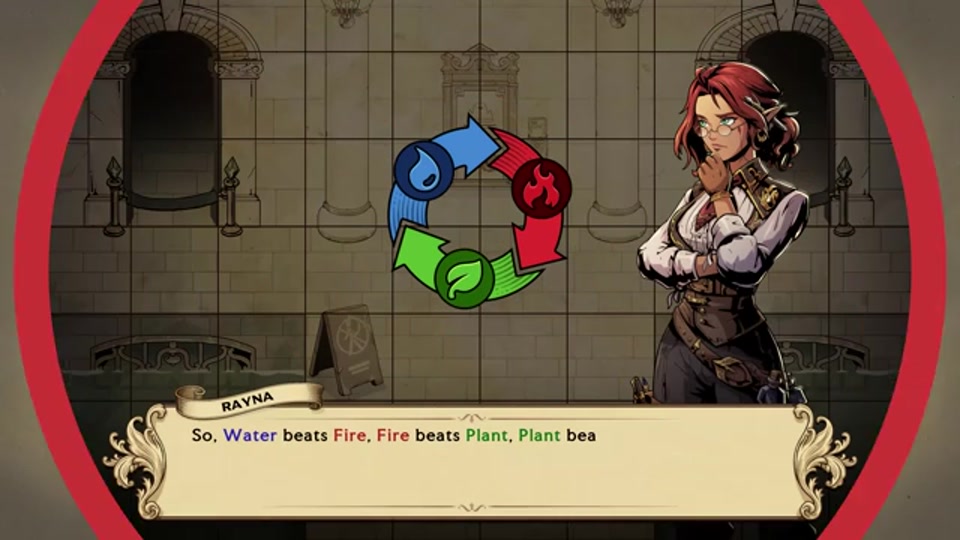
Ledgerbound is publicly described as a narrative-driven tactical RPG and dating sim set in a corporate-fantasy world. That combination can make a new player wonder which system they should master first. The best answer is not an old tier list or a spoiler-heavy “perfect route.” Start with the current game information in front of you, decide what you want from the session, and use primary sources when you need to check a time-sensitive detail. These tips are designed to help you do that.
1. Learn the premise before trying to optimize it
The Steam description frames you as an insurance adjuster drawn from a desk job into a crisis involving an ancient immortal foe. It also presents a team, relationships, and tactical puzzles. Take a moment to let this unusual mixture establish its own tone. You do not need to understand every institution, magical term, or character credit before the first battle.
If you want a little context, use a spoiler-light source such as our Eldarra setting guide or Hero’s Insurance guide. They explain the public premise without pretending to know your future choices.
2. Read each current mission objective
Before taking an important action, read the objective, visible condition, and any warning the game gives you. Do not assume a battle is solved only by defeating every enemy or that an optional condition is always mandatory. The mission in front of you is the best authority for what success means in that moment.
If you lose, identify one thing to change—target priority, an exposed ally, a position, or an action order—and try again normally. Changing everything at once teaches you less and makes a difficult tactical puzzle feel random. See our tactical-puzzle approach for a fuller version-aware process.
3. Separate tactics from technical problems
A loss can be a learning opportunity; a freeze or reload loop is a technical issue. Do not spend an evening trying to out-strategize a bug. The first official launch hotfix identifies battle-related fixes, audio adjustments, and a documented recovery step for a named battle-save problem. Check the newest official patch note whenever a result seems inconsistent with the visible rules or a guide’s advice no longer matches your build.
Our Patch #1 guide explains how to record a useful report and why unofficial configuration edits are not a first response. Note your platform, game version, scene or battle, and the steps that produced the issue.
4. Choose a purpose for your session
The public materials place relationships and tactical improvement beside one another. You do not need to maximize both at every moment. Decide whether you want a story-forward session, time to learn a difficult battle, or a low-pressure chance to explore the setting. A clear purpose turns a vague sense of “falling behind” into a choice you made for yourself.
The store description says time is limited; the final demo asked for feedback on time and Burn Out. Those facts support attention to pacing, not an unverified spreadsheet of exact costs. Our quest-life balance guide helps you think about that trade-off without an invented schedule.
5. Let relationships develop at your pace
The game is publicly marketed with relationship elements, and the developer has announced eligible romance characters. That does not mean you must choose a romance route before you know the cast, or that every dialogue line is a permanent trap. Read the scene, respond according to the character and story you are experiencing, and look for explicit in-game information before assuming an online rumor is true.
If you want to know who has been announced without reading route details, use the confirmed voice-cast guide. If you need help, name your chapter and spoiler boundary. A question such as “does the game warn me before this changes something?” is more useful than asking for a complete ending you may not actually want revealed.
6. Treat choices seriously, not fearfully
The official store description says decisions matter and stick. This is a reason to pay attention to context, not a reason to reload every conversation in panic. A good first playthrough can include uncertainty and outcomes you did not predict. Define what matters to you—role-playing, discovery, a relationship, a challenge, or a future completion run—and let that goal guide you.
For a deeper no-spoiler method, see choices and consequences. It distinguishes visible current-game information from claims that need proof.
7. Use current sources for current questions
Release dates, demo availability, display support, and balance can change. Check the Steam store page for availability and requirements; check the newest official announcement for patches; use older posts as history rather than as present advice. This avoids a common launch-week mistake: reading a useful pre-release article as if it describes today’s build.
The game launched after a short Steam review delay, so older results may still show an earlier date. Our launch timeline records the sequence and links the official announcements.
8. Set difficulty for learning, not status
The final-demo announcement mentions difficulty settings, and the first hotfix lists Uninsured Difficulty balance as a known issue. That means a difficulty impression can be version-specific. Choose the setting that lets you understand the game and enjoy its story. Increase challenge when it serves a goal you actually have; lower it when repetition is keeping you from the experience you want.
There is no badge for ignoring the tools a game offers. The most useful tactical run is the one where you can identify why a decision worked or failed.
9. Keep a short note when something is confusing
For a difficult battle or ambiguous choice, jot down the exact objective, your version, and what you observed. This makes it easier to ask a targeted question or report a bug. It also protects you from treating a memory of an old attempt as a documented rule. You do not need a full spreadsheet; one or two accurate sentences can be enough.
10. Use the demo and requirements carefully
If an official demo is currently available, it can help you check its own build and basic hardware compatibility. It is not a guarantee that all launch content behaves identically. Review current Windows or macOS requirements on Steam and consult our PC requirements guide for a safe comparison method. Do not assume a Steam game is automatically verified for every handheld or display configuration.
A good next step
After the opening, choose the guide that matches a real question. Use the setting pages for lore, the patch page for a technical issue, the relationship guide for a spoiler boundary, and the tactical guide for an encounter you want to understand. This site should support your playthrough, not replace it. Beginning with the current tutorial and a clear personal goal is the most reliable “beginner tip” of all.
Frequently Asked Questions
Is Ledgerbound beginner-friendly?
The official store frames the game as a narrative-driven tactical RPG with tactical puzzles, relationships, and adjustable difficulty mentioned in demo material. Start with current tutorials and choose a pace that suits you.
What should I do first in Ledgerbound?
Read the current tutorial and mission objective, decide whether your first session is for story or tactical learning, and check the newest official patch notes if something looks technical.